Педагогические науки / 1. Дистанционное образование
a candidate of Technical Science Evtushenko O., Siryc
A., Netiazhevski A.
National university of food technology, Ukraine
Information security implementation of
educational process in general educational institutions of Ukraine
New informational technology implementation in the
educational process is a high-priority way to develop modern general
educational institution [1-4].
Each day, modern education demands more active usage of informational and communicative technologies in management activity, educational process, and financial operations of general educational institutions. One of the main criteria of new informational technologies practical usage in educational establishments is a unified information educational system creation. This necessity occurred in general educational institutions because of a great increase of informational flow. To make optimal management decisions in modern situations, the standardization
of electronic data processing is needed for timely operational analysis.
Work organization on information system building
and implementation solves such problems as: information system structure
description, including all levels, stages, forms of interaction of internal and
external information environment interactions in educational institutions.
Administration, teachers, pupils, parents are to be participants of provided
process. Information flow is presented by a structure of educational
establishment, curriculum, staff schedule etc.
The number
of educational institutions of Ukraine with modern technical equipment is increasing each year. Unfortunately, informational support in education and the educational establishment management are not at a modern level. Insufficient educational budgets
create difficulties for administrators in the purchasing of equipment and software
licenses.
The creation of a free of charge unique informational
system will help improve education in Ukraine. A unique informational system in
educational establishment is a system where all participants of educational
process are connected on the informational level: administration – teachers –
pupils – parents.
Informational system for monitoring, control, and
educational safety process is developed for informational implementation of
educational purpose in general educational establishments of Ukraine.
Object of research is an educational process in
general educational institutions of Ukraine.
In educational establishments personnel use large
amounts of information daily including timetable, information about students,
their success level, etc. Large amount of outgoing data is collected and
analyzed by managing personnel with the help of their computers. By monitoring
data in this way, it is possible to increase the quality of education and take
immediate management decisions, which are connected with educational quality
increasing.
Developed informational system is a modern tool of
a centralized data administration. It provides information about pupil’s
success rate and their attendance in educational establishments. There are informational system users on figure 1.
Pupils: get information about current and final marks; are acquainted with a
schedule etc.
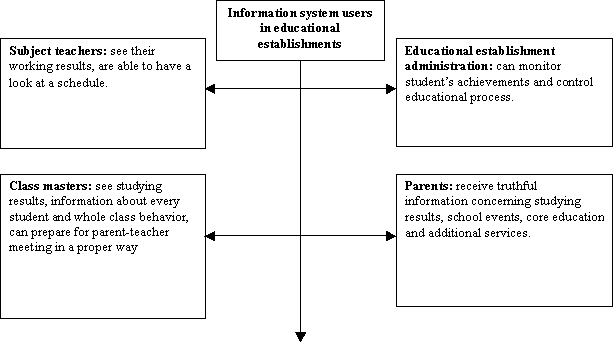
Figure 1. Information system users in general educational
institutions
Each user has its own level of access in educational
institutions information system (fig.2).
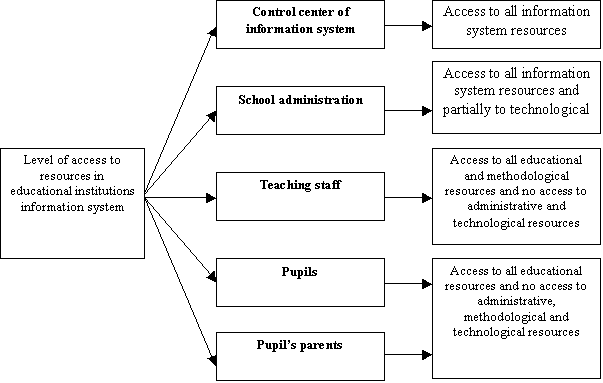
Figure 2. Level of access to resources in
educational institutions information system
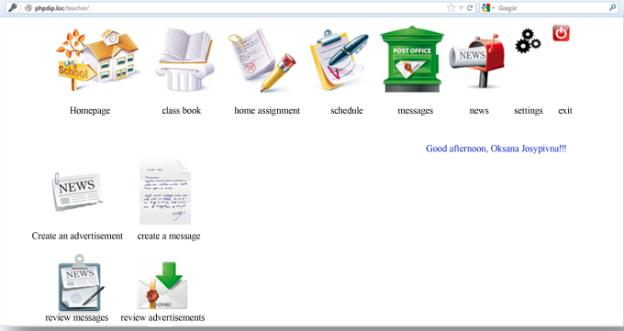
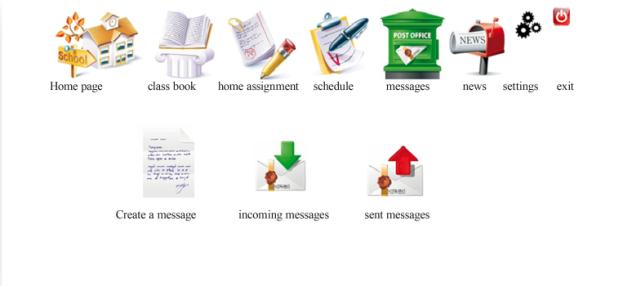
On the main page user (teacher) sees main and additional menu (scheme 1). There are following tabs in the main menu: homepage, class book, home assignment, schedule, messages, news,
settings, and exit. Additional menu gives the access to fast options such as:
create an advertisement, create a message, review messages, and review
advertisements.
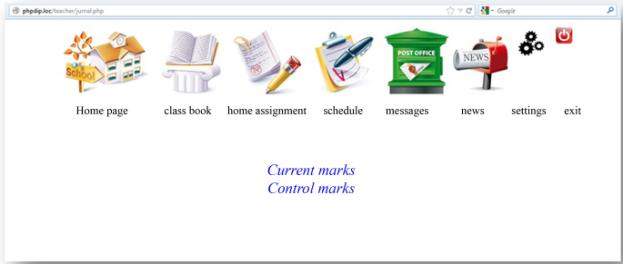
Teacher can add two types of marks to a class
book: current and control marks (scheme 2). It is necessary to choose a month
and a name of a subject to fulfill current marks (a list of possible subjects
will have only those subjects which are taught by this teacher). Only when all
filter options are chosen, user is proposed to choose a class, where he teaches
this subject.
After all filter options are fulfilled opened
class book is available (scheme 3).
In order to save marks in class book it is
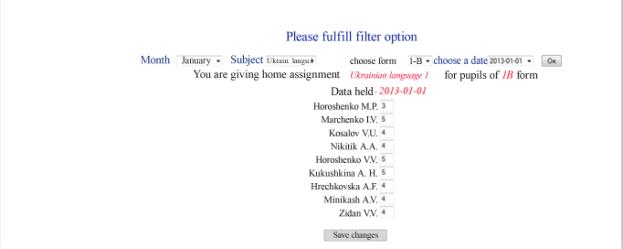
necessary to click “Save changes”. To fulfill control marks it is necessary to
choose “Control marks” option on a page “Class book” (scheme 2). In order
to fulfill control marks it is also necessary to choose filter option. Only
when all filter options are chosen, teacher can fulfill control marks for the
chosen day; all days in a month are possible to fulfill with marks except
Sundays. To save marks in a database one should press “Save changes button” (scheme 4).
Scheme 1. Teacher’s main page
Scheme 2.
Type of marks in class book
Scheme
3. Class book reviewing and fulfilling
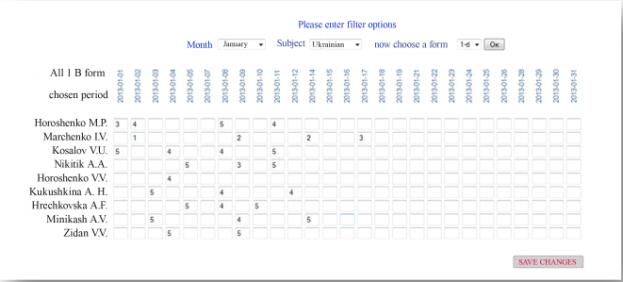
In case when a user reviews a class book with the rights
of “Administration” he can see all class books by different teachers but
without any possibility to change it.
Scheme
4. Class book control
marks fulfilling
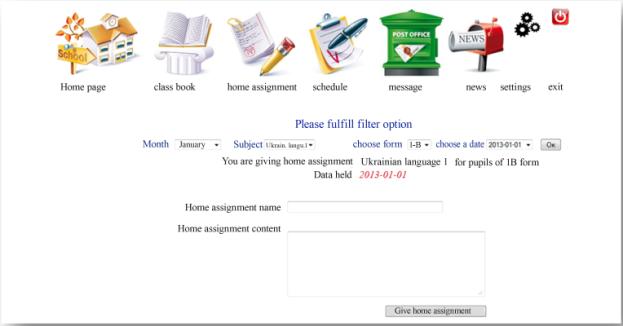
Teacher can give a home assignment for a specific
class for a specific day and on a specific subject. To create a home assignment
teacher needs to click on “Home assignment” link. After fulfilling, it is
necessary to press a button “Give home assignment”
(scheme 5).
Scheme
5. Home assignment form
creation
Scheme 6. Teacher’s schedule
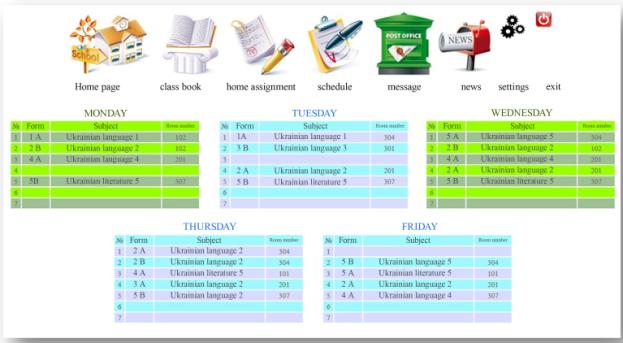
Teacher can also look at his own schedule and at
general school schedule. It is necessary to click on “Schedule” menu to see it
only after you choose one of the options, in our case it is “My schedule”. User with a “School administration” level of access doesn’t have other options, but he will have a possibility to have a look at general school schedule and schedule of ringing bells. Choosing an option “My schedule” a user will see his own
schedule (scheme 6). There is also a possibility to overview ringing bells
schedule, clicking on “Bell ringing schedule” to check it.
There will be the option to create a new message
or check read received messages, unread received messages and sent messages (scheme
7) in “Messages” menu. To create a new message it is necessary to click on “new
message” on page “Messages”.
Scheme
7. ”Message” page
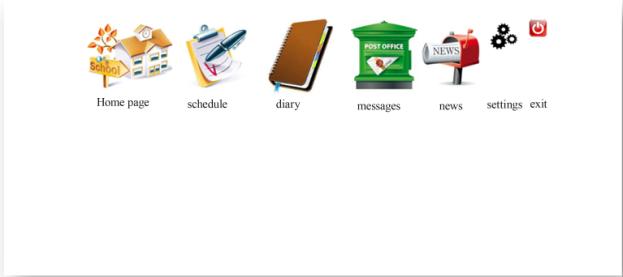
Users (parents, pupils) see the main menu on the
main page. There are the following tabs: home page, class book (for users with
“Parents” level of access only), diary, schedule, messages, news, settings,
exit (scheme 8).
To see a schedule it is enough for a pupil to
click on a menu “Schedule”. On a “Schedule” page pupil can view their own
schedule, school schedule, or bell ringing schedule. Also there is a “Diary”
tab available in a main menu.
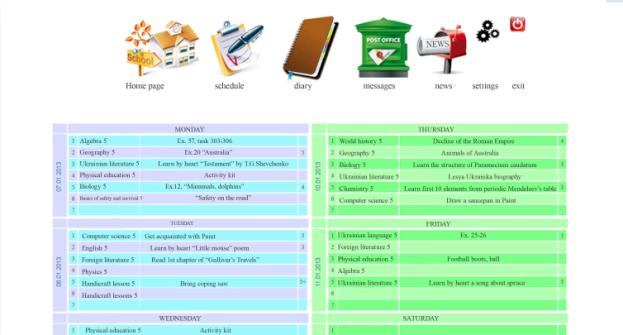
After getting to a “Diary” page, a pupil can look
at home assignments for next classes and also marks, which were entered by
teachers. There are navigating marks to the left and to the right to see previous marks and home assignments in the bottom of the page. These marks transfer to one week back or forward
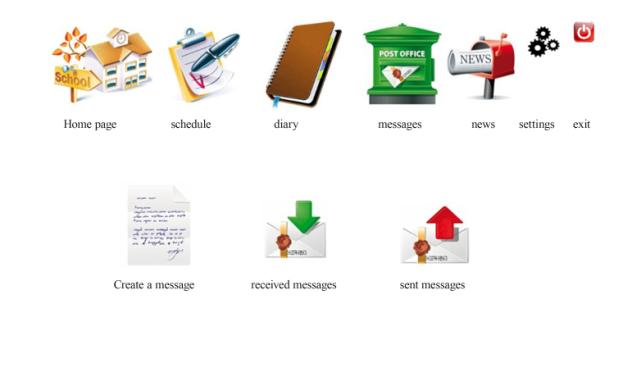
respectively. Also a pupil can see received and sent messages, it is possible on the page “Messages” (scheme 10). In order to get into the page “Messages” it is
necessary to click on the similarly-named menu tab.
Scheme
8. Main page for a user with “Pupil” level of access
Scheme
9. Pupil’s diary
On the “News” page there is news concerning the
whole school including news about some certain form.
To change profile settings it is needed to click on the appropriate image, where one will have a possibility
to change password and user login. To finish working and to exit from “Pupil”
profile, click on appropriate button with the “log
out” image. After pressing a button user gets into the main page and
session closing process is done. A user with the “Parents” level of access has
a “Class book” tab. Getting into “Class book” page user can see all marks on the certain
subject in a particular class where his child studies.
Scheme
10. “Messages” page
Information system
is created
to solve
one of
the main
tasks of
modern educational
establishments; improved information distribution and
communication. Because it doesn’t require specific knowledge and high standards
for PC, it
is very accessible to teaching staff, school administration, parents, and
students.
Informational system is a powerful informational
resource not only for all general educational sections but also for parents to get
fast information about child educational process. With the help of this system parents have the ability to receive current information
on their child’s education including
marks information
and different
messages (such
as school
or parent-teacher meetings), will help parents always to be aware of their children success and absence rate in educational
establishment, and to stay in touch with teachers and school administration.
Based on
this information
system, the development
of information software for higher educational establishments is expected. That
system will help to connect all participants of educational, methodological, scientific, organizational, professional orientations,
and international
activity in
higher educational
institutions on
an informational
level.
References:
[1]
Биков В.Ю.
Автоматизовані інформаційні системи єдиного інформаційного простору освти і
науки // Збірник наукових праць Уманського державного педагогічного
університету ім. Павла Тичини – Умань: СПД Жовтий, 2008. Ч. 2, с. 47-56.
[2]
Гуменюк В.В. Інформаційне забезпечення управління загальноосвітнім навчальним закладом:
автореферат дис., канд. пед. наук: 31.05.01 / ЦІППО. –К.: 2001. – 20 с.
[3]
Євтушенко
О.В. Інформаційне забезпечення навчальних закладів України / О.В. Євтушенко,
Лич І.В, Загоровська Л.Г. // Збірник праць Х всеукраїнської науково-методичної
конференції «Вища освіта: проблеми і шляхи забезпечення якості», 28 – 29
листопада 2013 р. – К., НТУУ «КПІ», 2013. – С. 195-202.
[4]
Калініна Л.М. Система інформаційного забезпечення управління загальноосвітнім навчальним
закладом: Моногр. –К: Айлант, 2005. – 275 с.
[5]
Ясвин В.А.
Образовательная среда: от проектирования –М: Смысл, 2001. – 365 с.
[6]
EURYDICE (The Educational Information Network in the
European Community) – Освітянська інформаційна мережа Європейського Співтовариства.
– [Електронний ресурс]. – Режим доступу: http://www.eurydice.org