Современные
информационные технологии/2. Вычислительная техника и программирование
Borisova E., student
of the specialty 5B070300 - Information systems
Nechitailo N.V., master of natural sciences
A. Baytursynov Kostanay State University, Kazakhstan
Design information module «Tourism»
Development and design of the interface of the program – is one of
creative tasks of programming. There are three main stages of development of
the interface:
1. Panel design
2. Dialog design
3. Submission windows.
In the executed program there are 4 working forms.
1. The main form of «Tourism» - it produces all of the program.
2. Add - add information window.
3. Edit - Edit window information.
4. Graph - displays the data in an intuitive, graphical form.
All of these forms are required for proper operation of the program.
To run the program simply open turizm.exe after opening the program on
the screen form appears (see Figure 1):
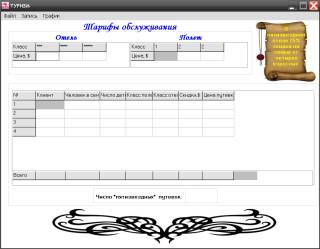
Figure 1. The main form
For filling of the
table it is necessary to click in the main menu on a tab record and to select
function to add (see
Figure 2).
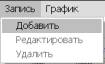
Figure 2. Function add
Then there will be
a window (see Figure
3) in
which it is possible to add all necessary data.
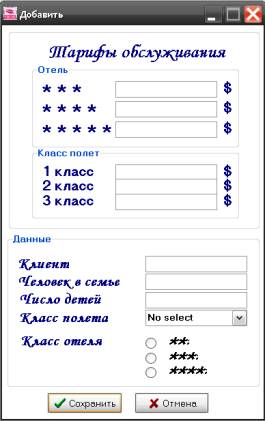
Figure 3. Adding window
After filling of
data transition to the principal form will be carried out and will fill window
cells (see Figure
4). One of
pluses of this software product it is automatic calculation of all parameters, without any
interferences.
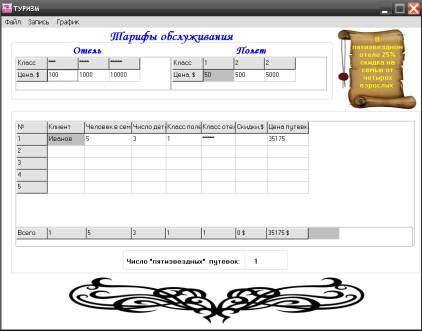
Figure 4. Filling of cells
After data entry it is possible to look at the diagram
which displays the permit price on these clients (Figure 5).
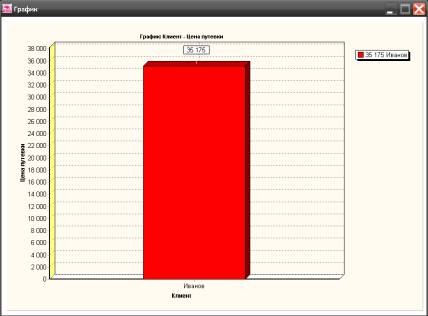
Figure 5. Goods price chart
Besides, in the program editing of data is provided,
for this purpose it is necessary to select from the main menu a tab record and
function to edit. Then to appear the window similar to a window to add, but
allowing to introduce amendments in data.
For an output from
applications it is necessary to select on a tab of the main menu, the menu the
file and function an output or to click the F10 key (Figure 8).
Figure 8. Exit
In case of an
application programming the developer shall be guided by that the program shall
be convenient in use and is easy to use, also shall be easily readable, its
structure shall correspond to structure and algorithm of the solved task.
Advantages
of a software product:
1.
Software product малотребователен to system
resources of the computer.
2.
Simplicity and clearness of the interface.
3.
Speed of calculations.
4.
Visualization of data.
As a
result of the accounting of all made above notes possibly improving of the
created software product towards the greatest visualization and functionality,
and also development of the most convenient interface for database «Tourism» use.
Literature:
1 Neil
Dzh. Rubenking. The Delphi programming language for «teapots». Introduction in
Borland Delphi of 2006.
2 A. N.
Valvachev, K. A. Surkov, D. A. Surkov, Yu. M. Chetyrko. Programming in the
Delphi language. Manual. - 2005.
3
Javier Pashecu. Programming in Borland Delphi of 2006 for professionals.
4
Arkhangelsk A.YA. programming examples in Delphi 5 Publishing house M.'s «Binomial»,
2000, page 780.